Process guide
Give support access
Time2 minutes
- Owner
DifficultyEasy
Let our support team look at your hotel with you, read-only, for up to 24 hours. They cannot change anything.
Purpose
Section titled “Purpose”Sometimes the best way to help you is to look at your hotel with you. Support access shows your hotel to people outside your team, so it is off until you turn it on, and it turns itself off.
Ingredients
Section titled “Ingredients”- Permissions: Only the Owner of the hotel can turn it on or off. Managers and other roles do not see the page.
- State: Your session must have the two-step code. If it does not, the app says “Verify with your authenticator app first.” See Protect your account.
Expected result
Section titled “Expected result”The state line says “On until” and a time 24 hours from now. Support can open your hotel to look, and every screen they open is listed for you.
-
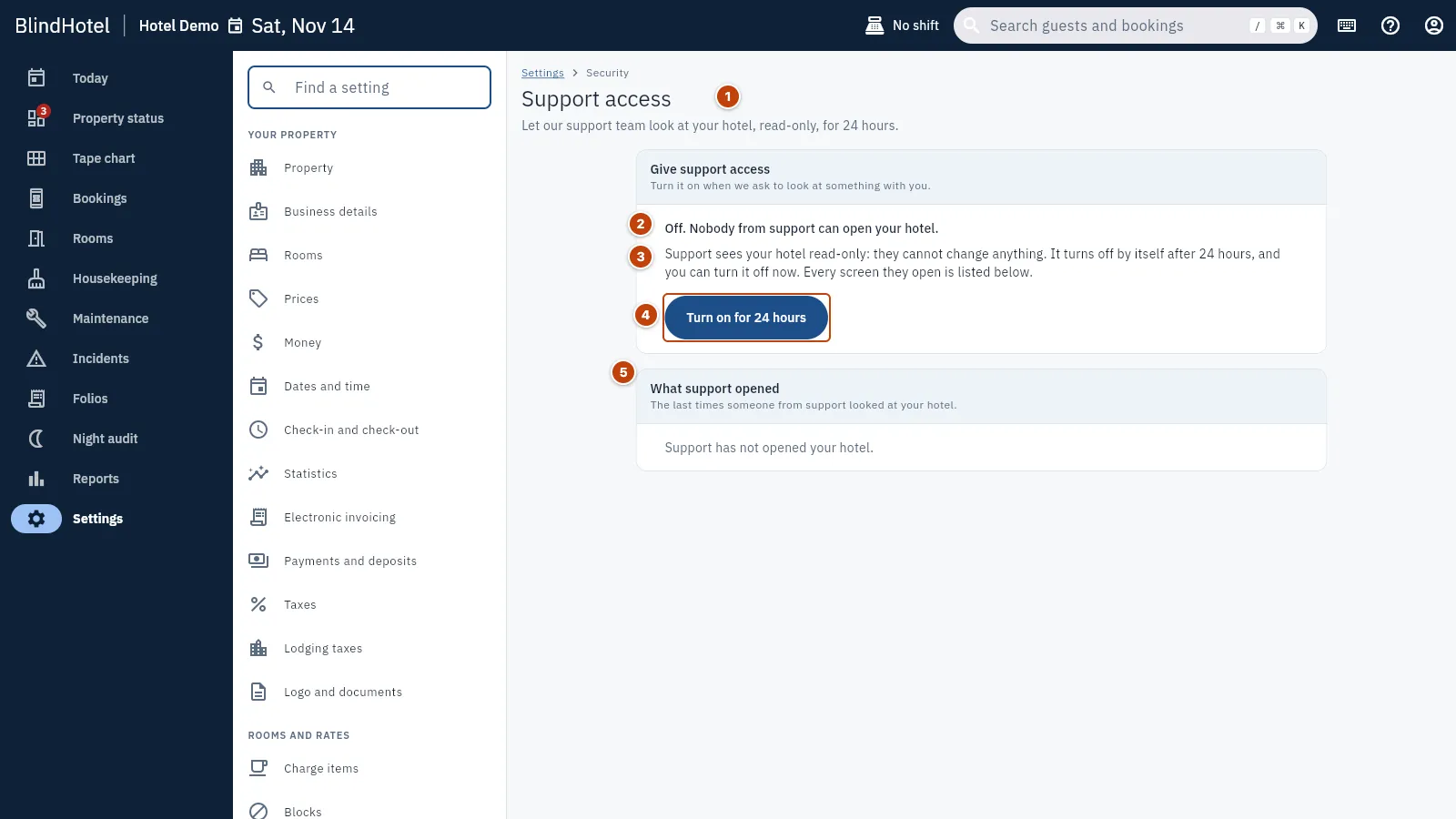
Open Settings, then Security, then Support access.
-
Look at the state line of the card Give support access. While it is off, it says Off. Nobody from support can open your hotel.
-
Tap Turn on for 24 hours. If the app says “Verify with your authenticator app first.”, give your two-step code or set it up, then tap the button again.
-
The state line now says “On until” and the day and time it ends.
-
Tell support it is on. See Contact support. They open your hotel from their side.
-
When support is done, look at the card What support opened. It lists who looked at your hotel, which screen, and when.
-
Tap Turn off now. The state line says Off again.
Check your work
Section titled “Check your work”The state line says Off. Nobody from support can open your hotel. and the button is again Turn on for 24 hours. The card What support opened keeps the list of visits.
What next
Section titled “What next”- Read the page in detail. See The Support access screen.
- Need to ask for help first? See Contact support.
Considerations
Section titled “Considerations”Support sees your hotel the way you do, but cannot change anything. No booking, price or setting can be edited, and nothing can be sent or deleted. Guest ID documents stay hidden.
Without your access, support sees only facts about the account: the hotel’s name, the plan, how far the setup is, and counts such as how many bookings were made. They never see your guests, bookings, folios or documents.
If you forget to turn it off, it turns off by itself after 24 hours. You do not see the “read-only” banner on your own screen: it is on support’s screen. You see their visit in the list.