Process guide
Create a rate plan for a channel
Time5 minutes
- Owner
- Manager
DifficultyMedium
Make a plan for an online travel agency, a local operator or a company, priced from your Standard plan, so its bookings get the right price by themselves.
Purpose
Section titled “Purpose”Each channel pays a different price: an online travel agency adds its commission, a local operator gets a discount. A plan derived from Standard keeps all of them in step. When you change the Standard price, the other plans follow, and every booking from that channel starts on the right plan.
Ingredients
Section titled “Ingredients”- Permissions: Owner or Manager. Once the hotel is live, changing prices needs your two-step sign-in.
- Information: The name of the channel, a short code, how much higher or lower than Standard its price is, and who gets it: a booking source, a company, or both.
- State: Your room types have a normal price. See Set prices and taxes.
Expected result
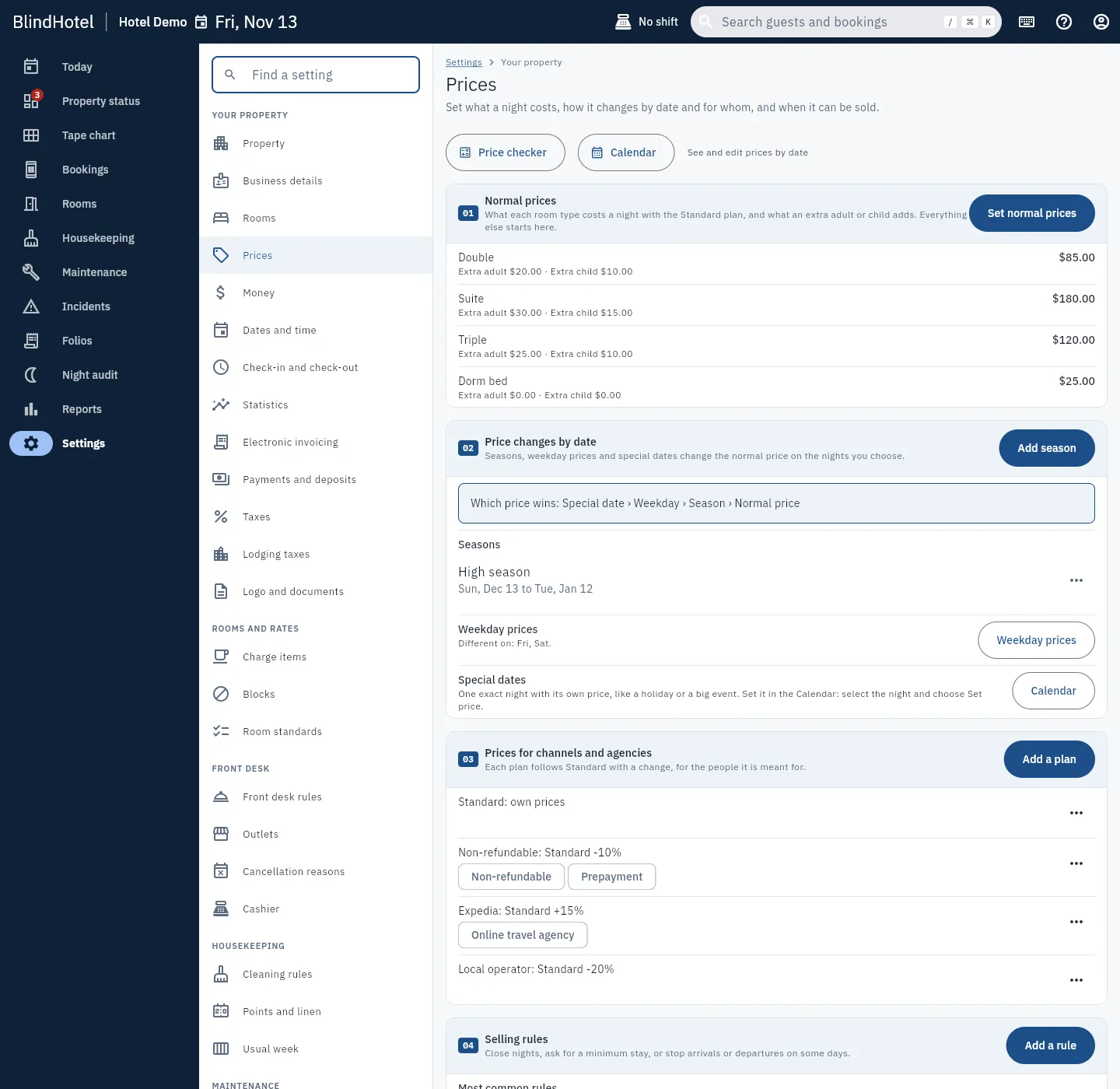
Section titled “Expected result”The new plan appears in step 3 as a sentence, for example Expedia: Standard +15%, and in the rate grid, under Standard. A booking made from the source you chose starts on this plan, and its price is the Standard price plus or minus your number.
-
Open Settings, then Prices. In step 3, Prices for channels and agencies, tap Add a plan.
-
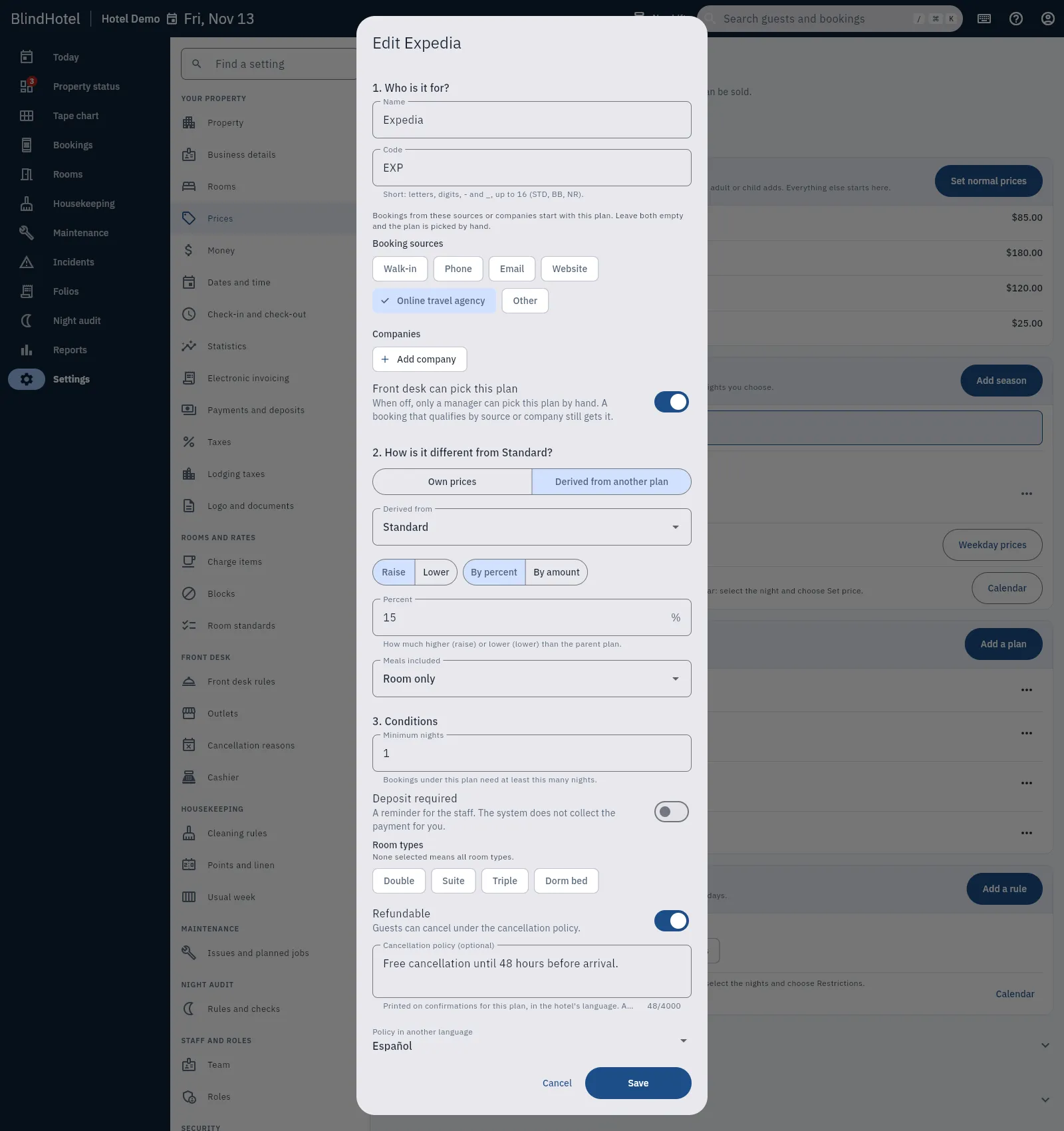
Under 1. Who is it for?, type the Name, for example Expedia, and a short Code, for example EXP. Pick the Booking sources, for example Online travel agency. To give the plan to a company, tap Add company and pick it.
-
Under 2. How is it different from Standard?, tap Derived from another plan. Leave Derived from on Standard.
-
Tap Raise or Lower, then By percent or By amount, and type the number in Percent (or Amount).
-
Under 3. Conditions, set Minimum nights if the channel needs a stay of two or more nights. Switch on Deposit required if staff must ask for payment first.
-
Tap Save.
Check your work
Section titled “Check your work”Open the Calendar. The new plan sits under Standard with lighter prices in italics, and hovering over one shows how it is made, for example Standard +15%. Then make a test booking with the source you chose: the plan and the price should be the ones you set.
What next
Section titled “What next”- To give one night of the new plan a price of its own, pick it in the grid and tap Set price.
- To stop using a plan, open its More actions menu and tap Archive. Bookings that already have it keep their prices.
- Set limits for the channel with Set stay restrictions.