Process guide
Contact support
Time2 minutes
Who can do it
- All roles
DifficultyEasy
Send a message to the BlindHotel team without leaving the app.
Purpose
Section titled “Purpose”Get help from the team when something does not work, when you have a question about billing or your trial, or when you have an idea.
Ingredients
Section titled “Ingredients”- Permissions: none. Anyone who is signed in can write.
- Information: what you wanted to do, what you tapped and what happened. Add the room or the booking number if there is one.
- State: be on the screen that has the problem. The app sends the name of the screen with your message.
Expected result
Section titled “Expected result”A thank-you says “Thank you. We got your message and will write back to your email.”
-
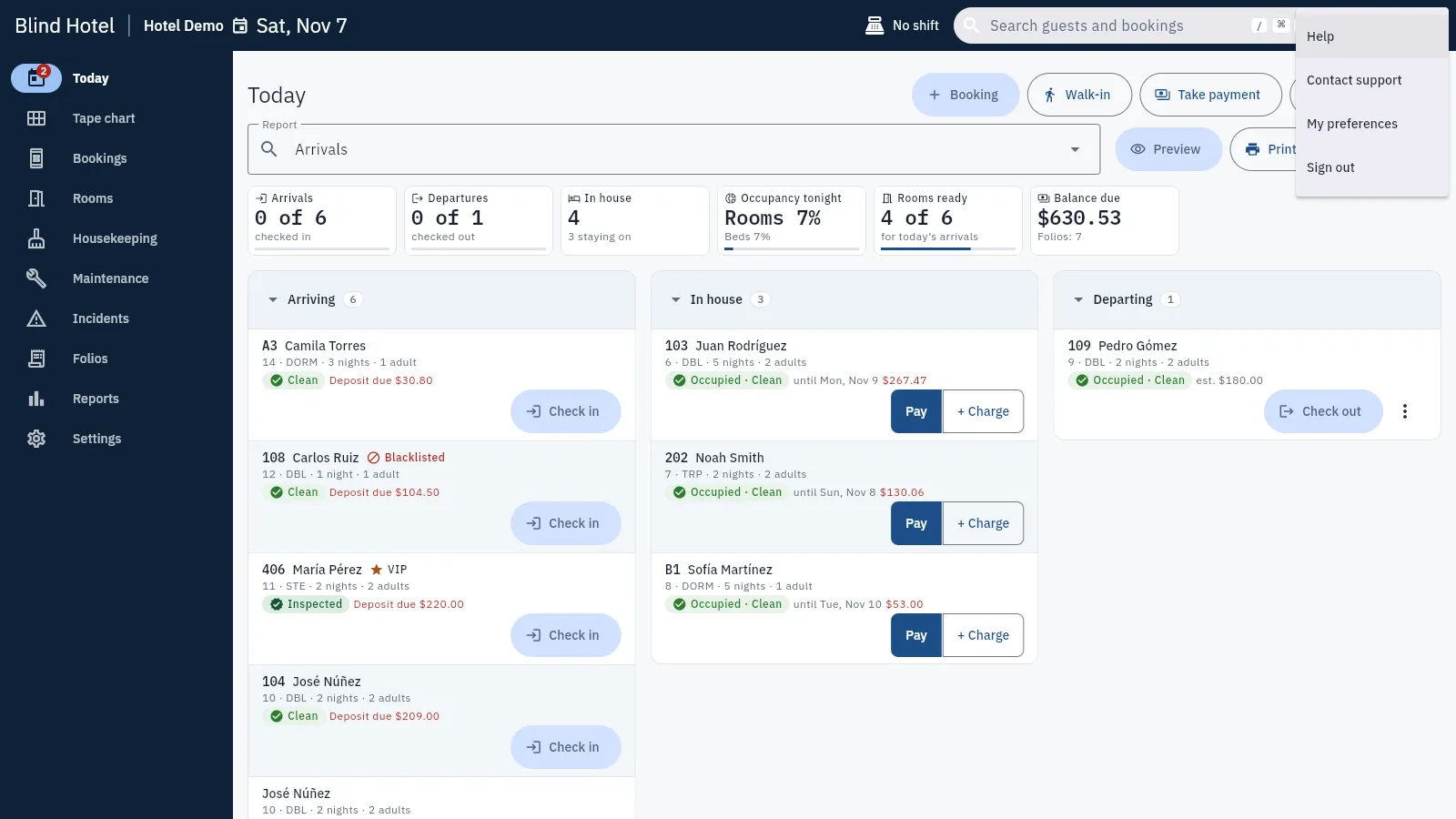
In the top bar, tap your account icon (Account).
-
Choose Contact support.
-
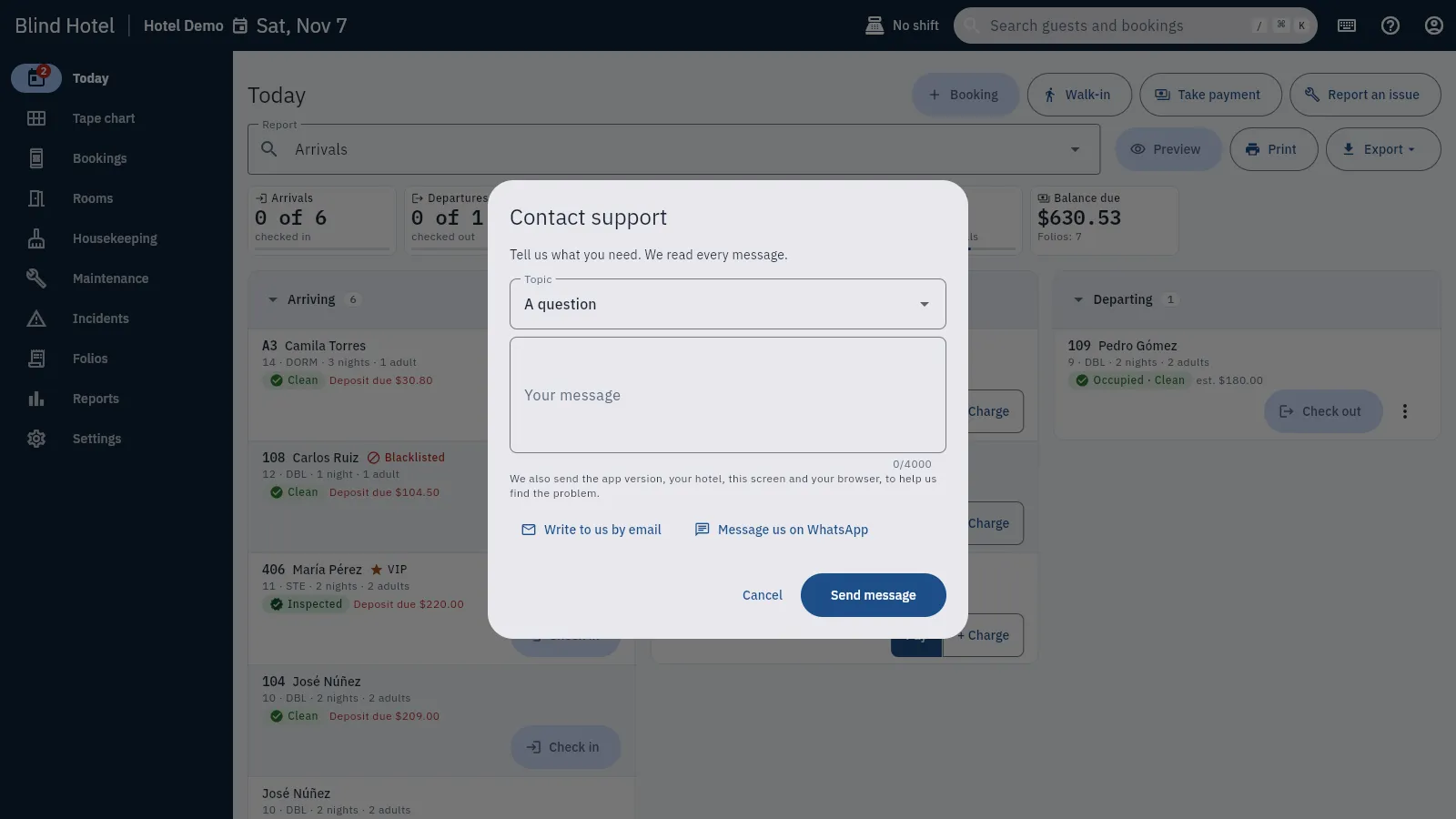
Under Topic, tap one: A question, A problem, Billing or my trial, An idea or Something else.
-
Write what you need in Your message.
-
Tap Send message.
Check your work
Section titled “Check your work”The window shows the thank-you. Tap Close. We write back to the email of your account.
What next
Section titled “What next”- You can also write to us outside the app. Write to us by email opens an email to [email protected]. Message us on WhatsApp opens a chat with +50763636363.
- If we ask to look at your hotel with you, see Give support access.
- If your internet is down, see If the internet is down for what to do.
Considerations
Section titled “Considerations”- The app also sends its version, your hotel, the screen you were on and your browser, to help us find the problem. Open the window on the screen that has the problem.
- Say what you wanted to do, what you tapped and what happened. Add the room or the booking number if there is one.