Process guide
Download your data
Time5 minutes
- Owner
DifficultyEasy
Get all the hotel’s data in one file you can keep.
Purpose
Section titled “Purpose”You want a copy of your hotel’s data: to keep it, to move to another system, or before you cancel. The file has the guests, bookings, stays, folios, payments, companies, rooms with their beds, prices, housekeeping and maintenance, the statistics details (type of property, closing periods, registry numbers and the monthly staff count), your electronic invoices and credit notes with their files, and a report for each month.
Ingredients
Section titled “Ingredients”- Permissions: Only the Owner can download the data. It stays open when the hotel is read-only, when the subscription has ended and when the hotel is archived.
- State: Any state, even an archived hotel, until the day the data is deleted. Making the file can take a few minutes.
Expected result
Section titled “Expected result”A ZIP file arrives in the downloads of your browser. It holds one table for each area, a folder called fiscal with the files of your electronic invoices and a report for each month.
-
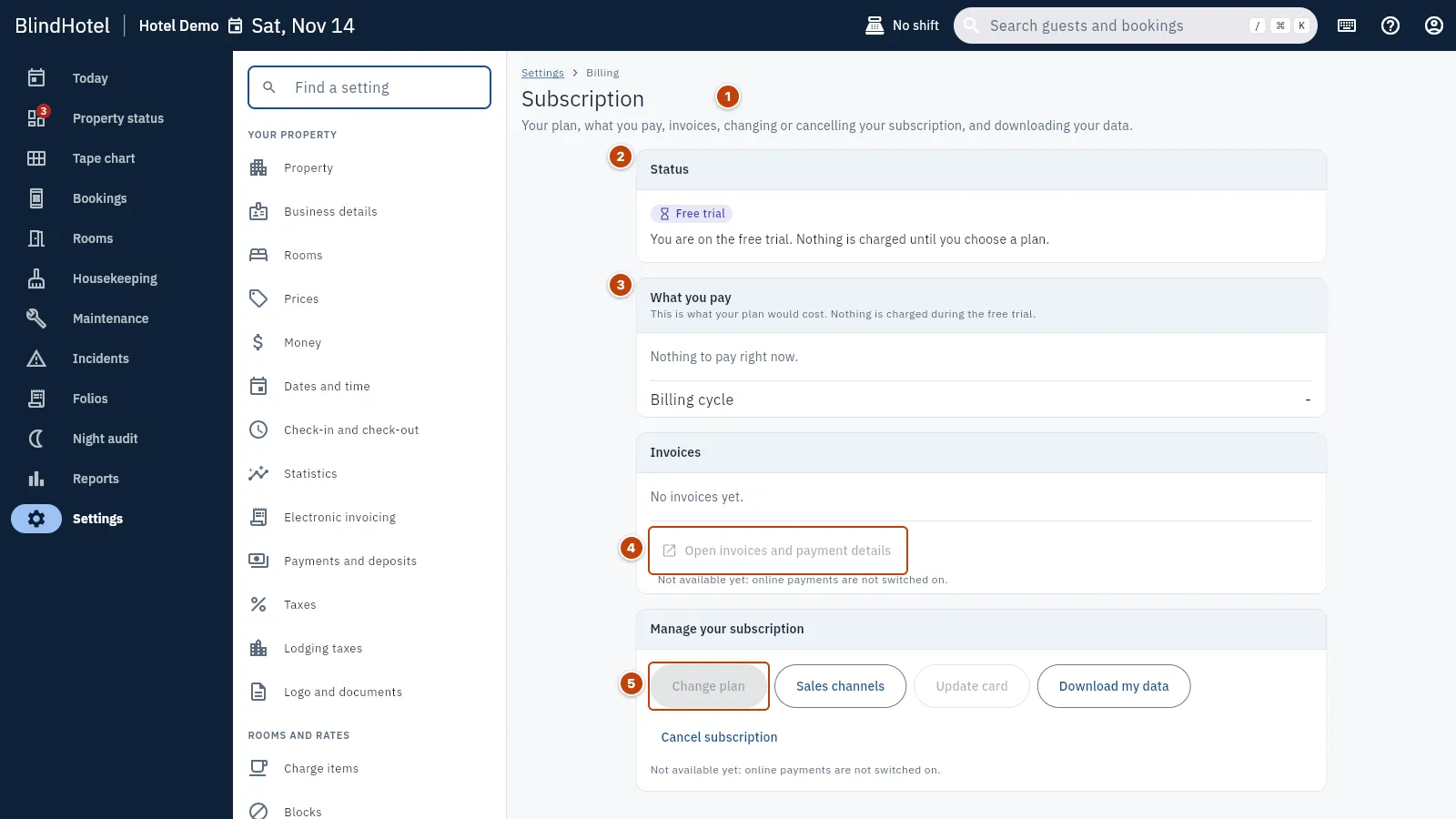
Open Settings, then Billing, then Subscription. If the hotel is read-only, the subscription has ended or the hotel is archived, the box at the top of the screen also has the button Download my data.
-
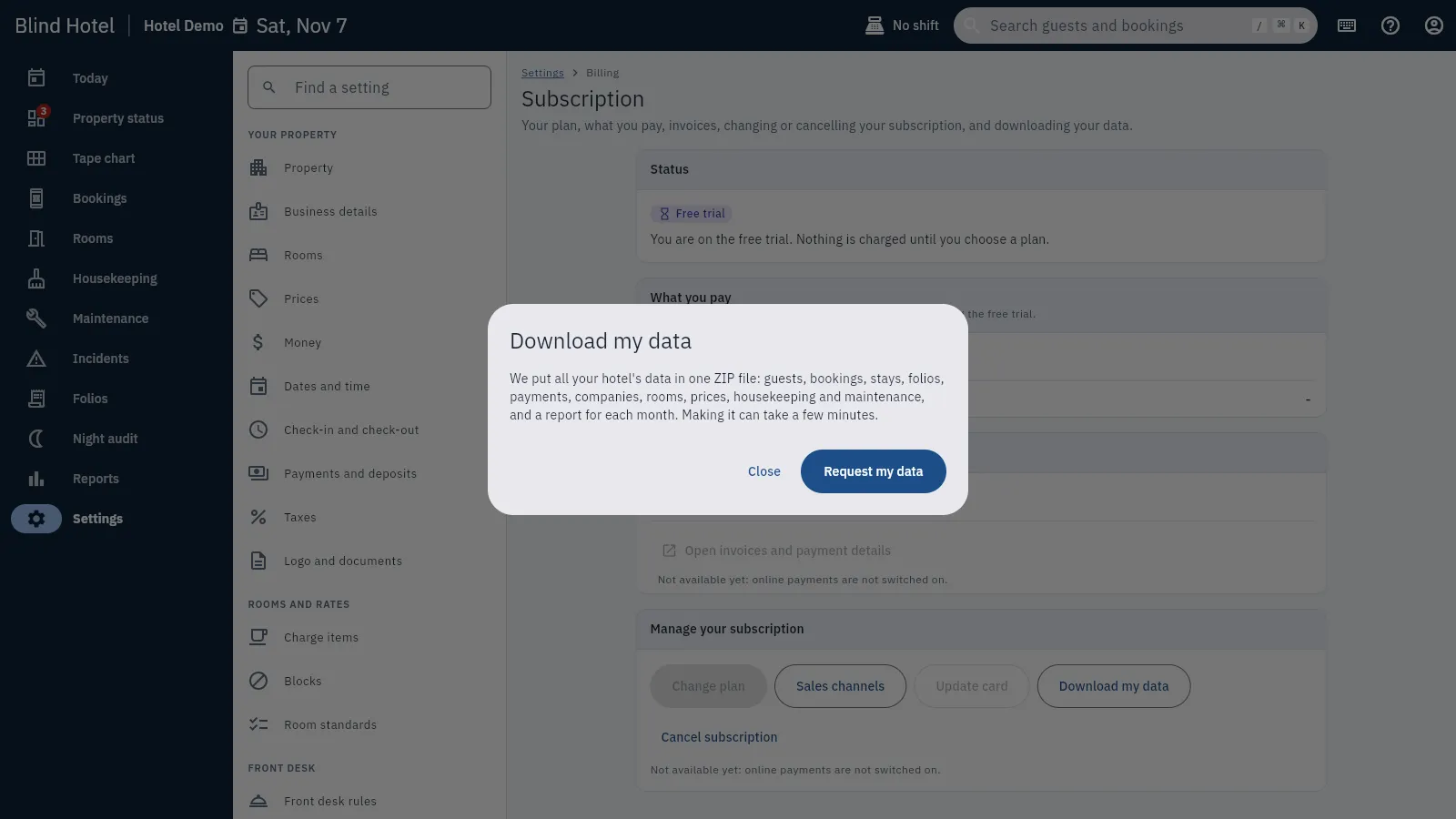
Tap Download my data in the card Manage your subscription. A window opens that says what the file holds.
-
Tap Request my data.
-
Wait. The window says that it is waiting to start, then that your file is being built. It updates by itself every few seconds. You can close it and open it again later: it shows where your file is.
-
When the window says Your file is ready., tap Download file. The file opens in your browser.
-
If the window says We could not make your file., tap Try again.
Check your work
Section titled “Check your work”The file is in the downloads of your browser and its name ends in .zip. The window shows its size and the day it is kept until.
What next
Section titled “What next”- A file expires after 7 days. If the window says Your last file has expired. Request a new one., tap Request my data again.
- Want to stop the subscription? See Cancel your subscription.
- Read the page in detail. See The Subscription screen.
Considerations
Section titled “Considerations”The file holds your guests’ personal data. Keep it somewhere safe and do not send it by email.
The table fiscal.csv lists every electronic invoice and note of the hotel: its number, its state, the code the tax authority gave it, who it was made out to and its totals. Its columns xml_file, response_file and pdf_file name the files of each one in the folder fiscal: the signed XML, the answer of the tax authority and the PDF when it gave one. Only who may see electronic invoices gets them; for anyone else the table is empty.
The list is always complete. If a file is not there, the column files_note says why: missing when the tax authority gave none, or too_large when the ZIP was full. Tell our support team in that case and we prepare those files for you.
The download link works for a few minutes. If it stops working, tap Download file again to get a new one. Only one file is made at a time: if you ask while one is being made, the window follows that one.
An archived hotel is closed: only Subscription in Settings opens, and there you can download your data and pay to bring the hotel back. The download works the same way and does not need a payment first.
Sometimes our support team prepares a file for you, for example when your hotel is closed and you asked us for help. It appears in the same window with the note Prepared by support for you. Download it like any other file.