Process guide
The night audit
Time15 to 30 minutes, once a day.
- Owner
- Manager
- Night audit
DifficultyCareful
The night audit closes the hotel’s day. It charges the room nights and moves the business date to the next day.
Purpose
Section titled “Purpose”The hotel works on a business date, and only the night audit moves it. When you run it, the app posts each room and its taxes for the night, stores the day’s figures and starts the next day. The reports of the day are kept as they were when you closed it.
Ingredients
Section titled “Ingredients”- Permissions: The night audit permission. Owner, Manager and Night auditor have it.
- Information: What to do with each guest who did not arrive, and with each guest still in the hotel past their date.
- State: The hotel’s time is past Can be closed from. Every guest in the hotel has a room.
- Documents: A printer, or a way to save a PDF, for the day’s reports.
Expected result
Section titled “Expected result”The day is closed, the business date is the next day, and you have the day’s reports printed or saved.
-
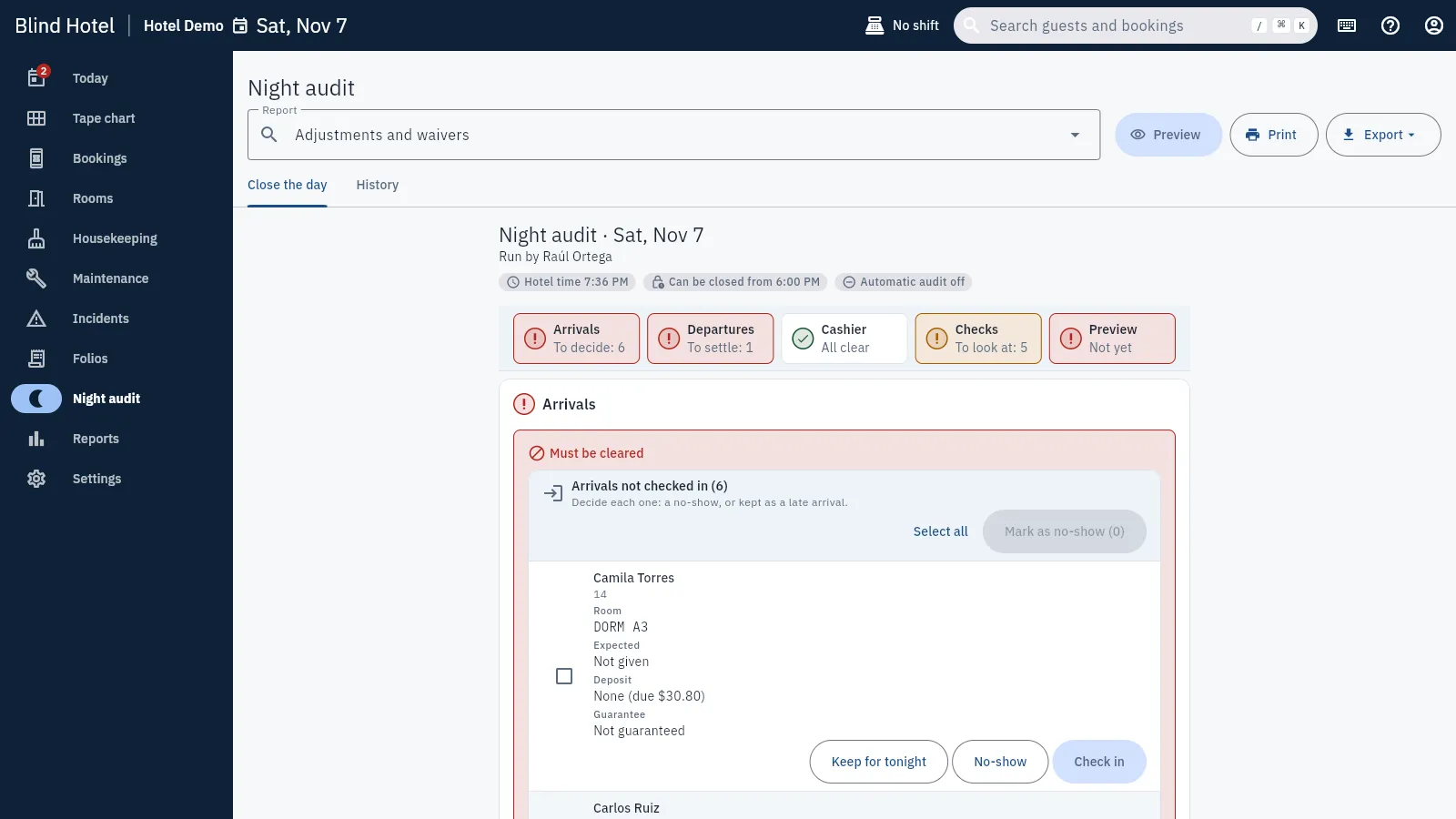
Open Night audit in the menu. Stay on the tab Close the day.
-
Look at the tags under the title. If the page says Can be closed from a time that has not come, wait.
-
Arrivals: for each guest under Arrivals not checked in, tap Check in, No-show or Keep for tonight. No-show on a row opens the booking and asks for a reason. Make these choices in one go, then run the audit: if you leave the screen they are lost.
-
To mark many no-shows at once, tick the guests and tap Mark as no-show. Choose Charge the fees or Waive the fees, then confirm. Waiving needs a reason.
-
Departures: a guest still in the hotel past their date needs Extend 1 night or Check out.
-
Cashier: close each open shift, or leave it open with Night shift continues. To close someone else’s shift you must be signed in with your two-step code. A cashier hands a drawer over with Close and hand over. See Your cashier shift.
-
Checks: read the list. A box says Must be cleared or Can run anyway. A guest in the hotel without a room must get one first: tap Assign a room.
-
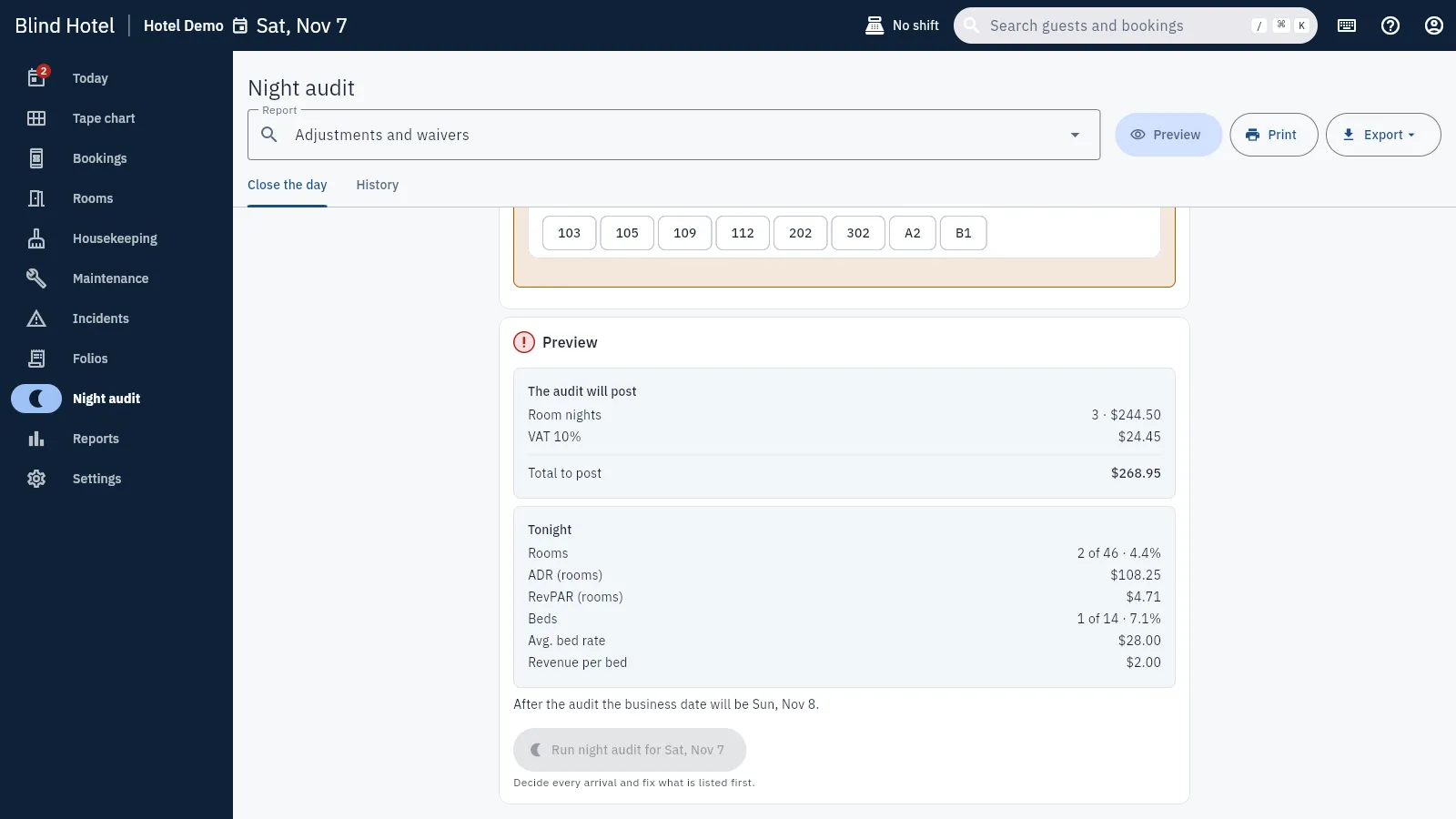
Preview: read what The audit will post, the Total to post and the new business date.
-
Tap Run night audit for and the date. If it is off, the page says what to fix first.
-
A window asks if you want to close that date. Read the warnings in it and tap Run night audit.
-
The page says Day closed and shows the new business date. Tap Open the report.
-
Under Audit reports, tap Print all (one PDF). Keep the in-house list and tomorrow’s arrivals on paper.
-
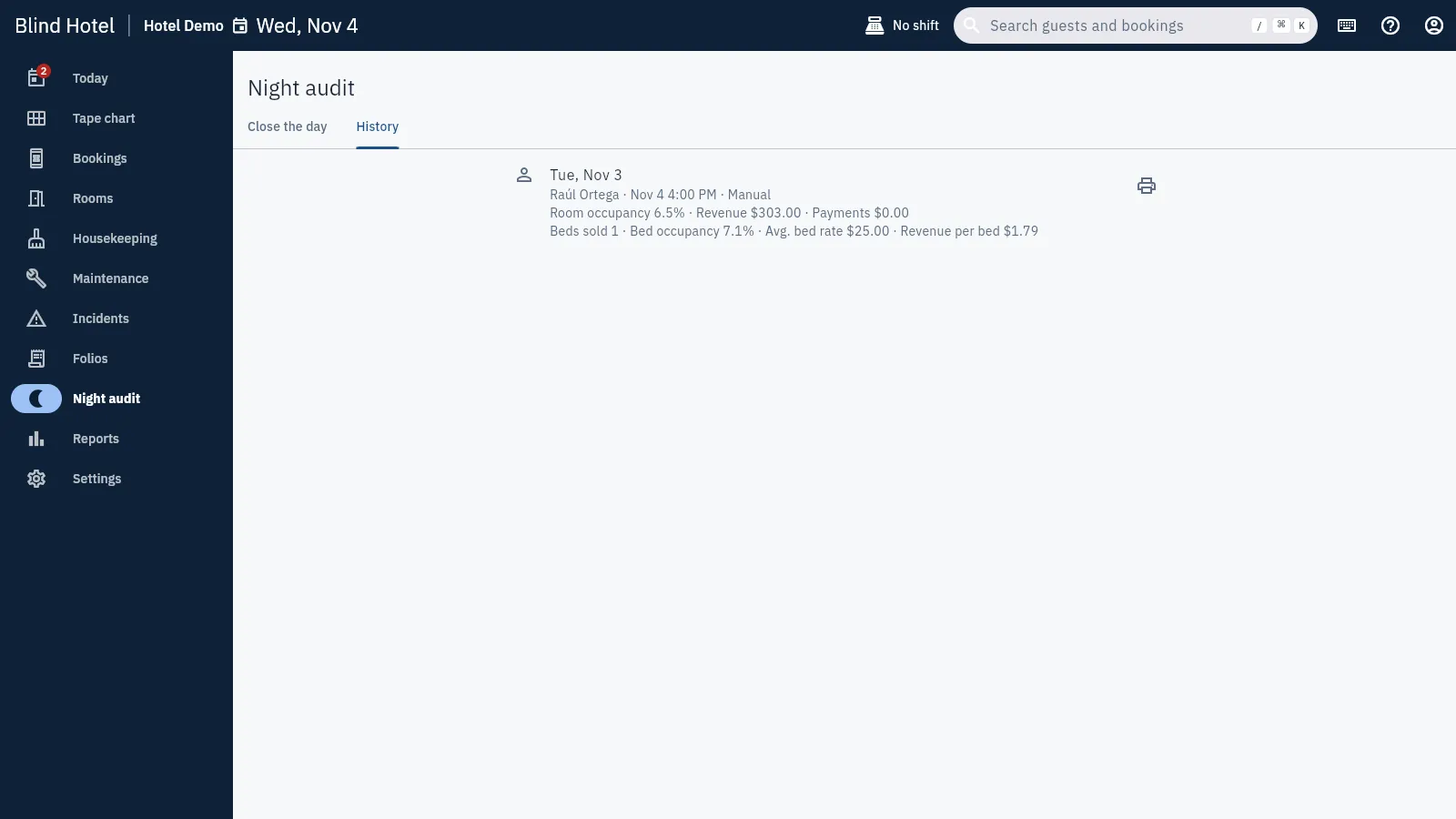
Open the History tab. The day you closed is the first line.
Check your work
Section titled “Check your work”The page says Day closed, with the new business date. The top bar shows that date too. In History, your day is first, with your name and Manual. Its reports open from the line.
What next
Section titled “What next”- If the page says We couldn’t confirm the result, tap Check again. The audit will not run twice.
- A hotel without night staff can close the day by itself. Open Settings, then Night audit, then Rules and checks, and look at Close the day automatically. In the morning, look at Today: a warning there means it is waiting for a check.
- To learn the screen, see The Night audit screen. For the whole shift of a night auditor, see Night auditor.
- If the internet is down, keep the paper reports and see If the internet is down.
Considerations
Section titled “Considerations”- A closed day cannot be reopened. A correction goes on the next day. Read the preview before you run it.
- The automatic audit keeps an arrival that did not check in for tonight, never as a no-show and never with a fee. It extends a guest past departure by one night. It waits while a check you switched on has anything in it.
- Each guest in the hotel without a room always stops the audit. That check cannot be switched off.