Process guide
Give a discount on one item or the whole bill
Time2 minutes
- Owner
- Manager
- Front desk
- Night audit
DifficultyEasy
Take a percent or an amount off one charge, or off everything on the bill, and see it under the charge it belongs to.
Purpose
Section titled “Purpose”A guest complains about a can that arrived dented, or the hotel wants to make up for a noisy night. A discount keeps the original charge and adds a negative line next to it, so the folio shows what the guest was charged, what was taken off and why. Nothing is deleted.
Ingredients
Section titled “Ingredients”- Permissions: Owner, Manager, Front desk or Night auditor.
- Information: The percent or the amount, and the reason. The reason is required and stays with the folio.
- State: The folio is open. A closed folio first needs Reopen folio (see the last step).
Expected result
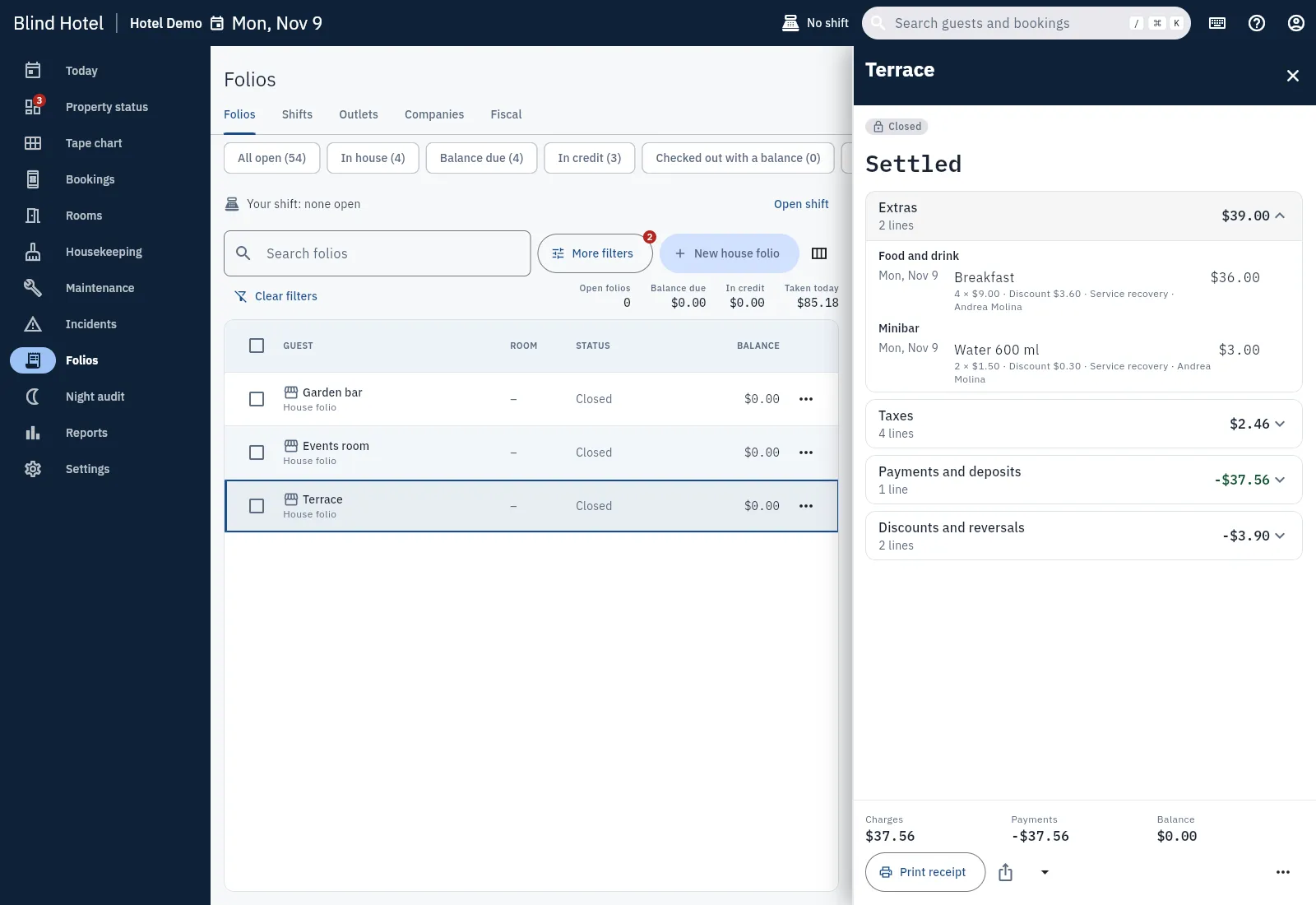
Section titled “Expected result”The charge shows its discount under its line and the total drops. Each charge keeps its own tax, so the tax drops in proportion. If the hotel invoices electronically, the invoice shows the discount on each item.
- Go to Folios and open the folio.
- For one item, open the card that holds the charge, for example Extras, then on the charge open More actions and tap Discount. For the whole bill, at the bottom open More actions and tap Discount the whole bill.
- Choose Percent or Amount, write the number in Discount or Discount amount, and write the Reason (required).
- Tap Discount. On the whole bill, the app spreads the discount over all the charges in proportion.
Check your work
Section titled “Check your work”You see Discount posted. The discount is a line under the charge it reduced, and the balance of the folio is lower. For a discount on the whole bill, every charge shows its own part.
What next
Section titled “What next”If the guest already paid, give the money back with Refund in More actions. If you opened a closed folio to do this, close it again with Close folio.
Considerations
Section titled “Considerations”- You cannot discount a closed folio. Open More actions, tap Reopen folio, write the reason, give the discount, and close the folio again.
- If the invoice was already accepted by the tax authority, the discount travels as a credit note that refers to the invoice. You do not have to do anything else.
- To give the retired and senior discount that the country sets for room nights, use the Invoice section at check-out instead. See Jubilado discount.