Process guide
Your cashier shift
TimeAbout 2 minutes to open, 5 to close.
- Owner
- Manager
- Front desk
- Night audit
DifficultyMedium
A shift is your cash drawer for a few hours. You open it when you start at the desk, and you count it when you finish.
Purpose
Section titled “Purpose”The shift keeps what you take, and what comes out of the drawer, in one place. When you close it, you count the money. The hotel then knows if the drawer holds what it should, and who had it.
Ingredients
Section titled “Ingredients”- Permissions: The cashier shift permission. Owner, Manager, Front desk and Night auditor have it.
- Information: The cash in your drawer, counted. At the end, also the batch of the card terminal and the statement of each wallet.
- State: No other shift open in your name. If the hotel uses one shared drawer, one shift is open for everyone at the desk.
Expected result
Section titled “Expected result”Your shift is open, and the payments you take go on it. At the end it is closed, each method counted, and the report shows whether the drawer was balanced, over or short.
-
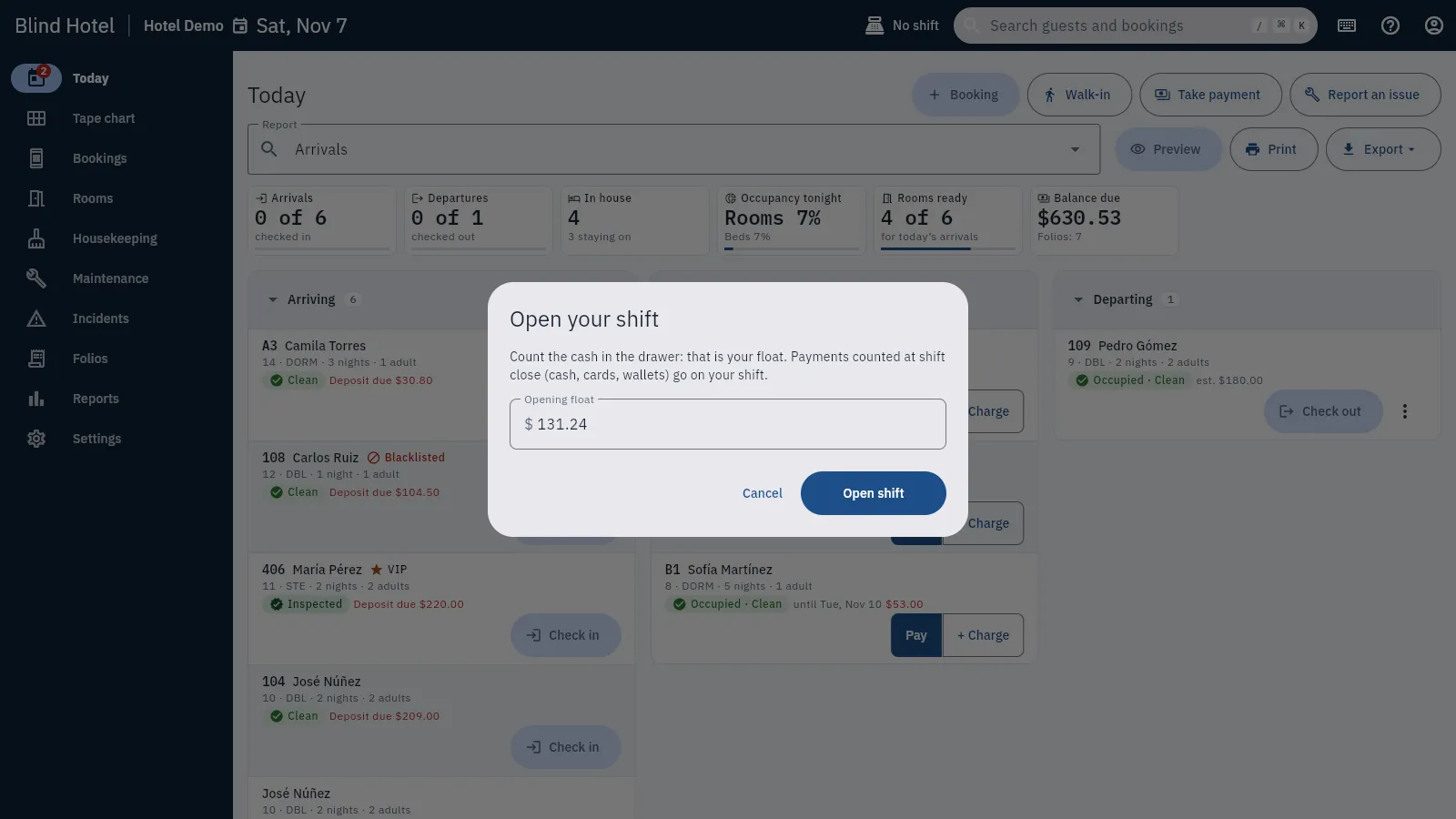
In the top bar, tap the cash register icon (Cashier shift). It says No shift. Choose Open shift.
-
Count the cash in the drawer. Opening float may be filled in. Change it to what you counted. If a coworker left a drawer for you, tap Count and receive and count it instead.
-
Tap Open shift. From now on, payments counted at shift close (cash, cards, wallets) go on your shift by themselves.
-
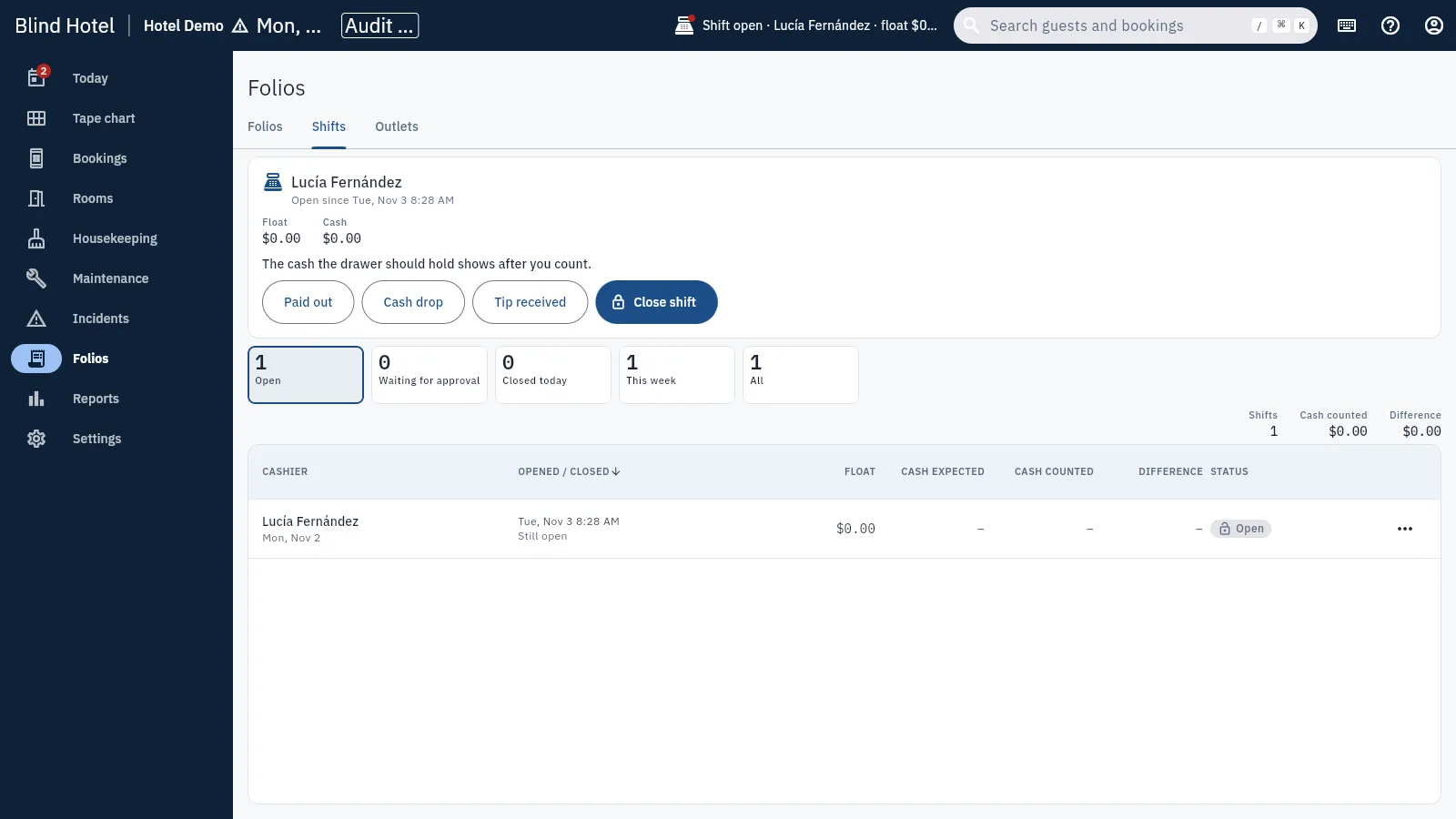
When cash moves without a payment, open Folios, then the Shifts tab. Your shift is at the top.
-
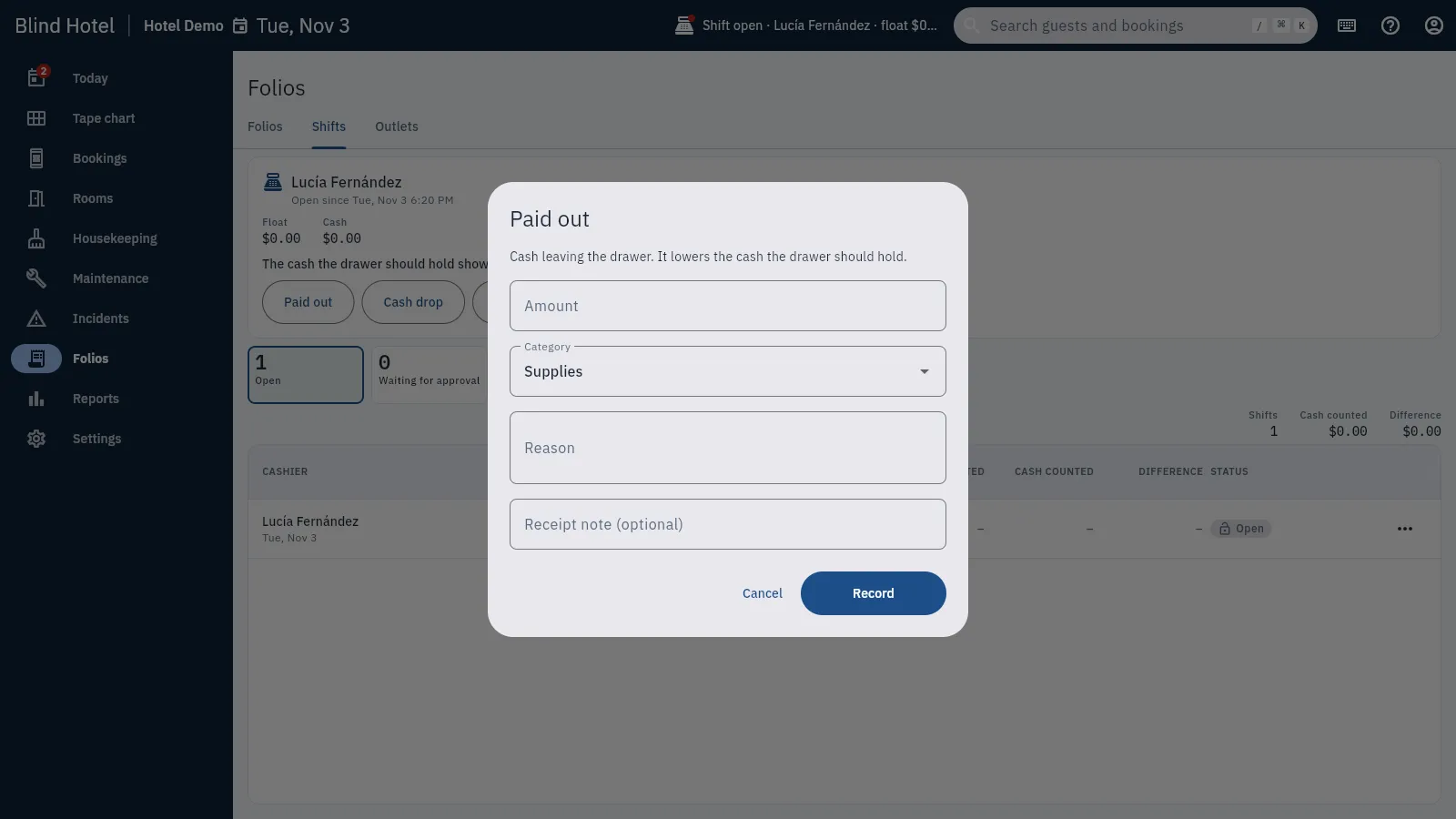
Tap Paid out when cash leaves the drawer, Cash drop when it goes to the safe, or Tip received for a tip.
-
Type the Amount. A paid out also asks for a Category and a Reason. Tap Record.
-
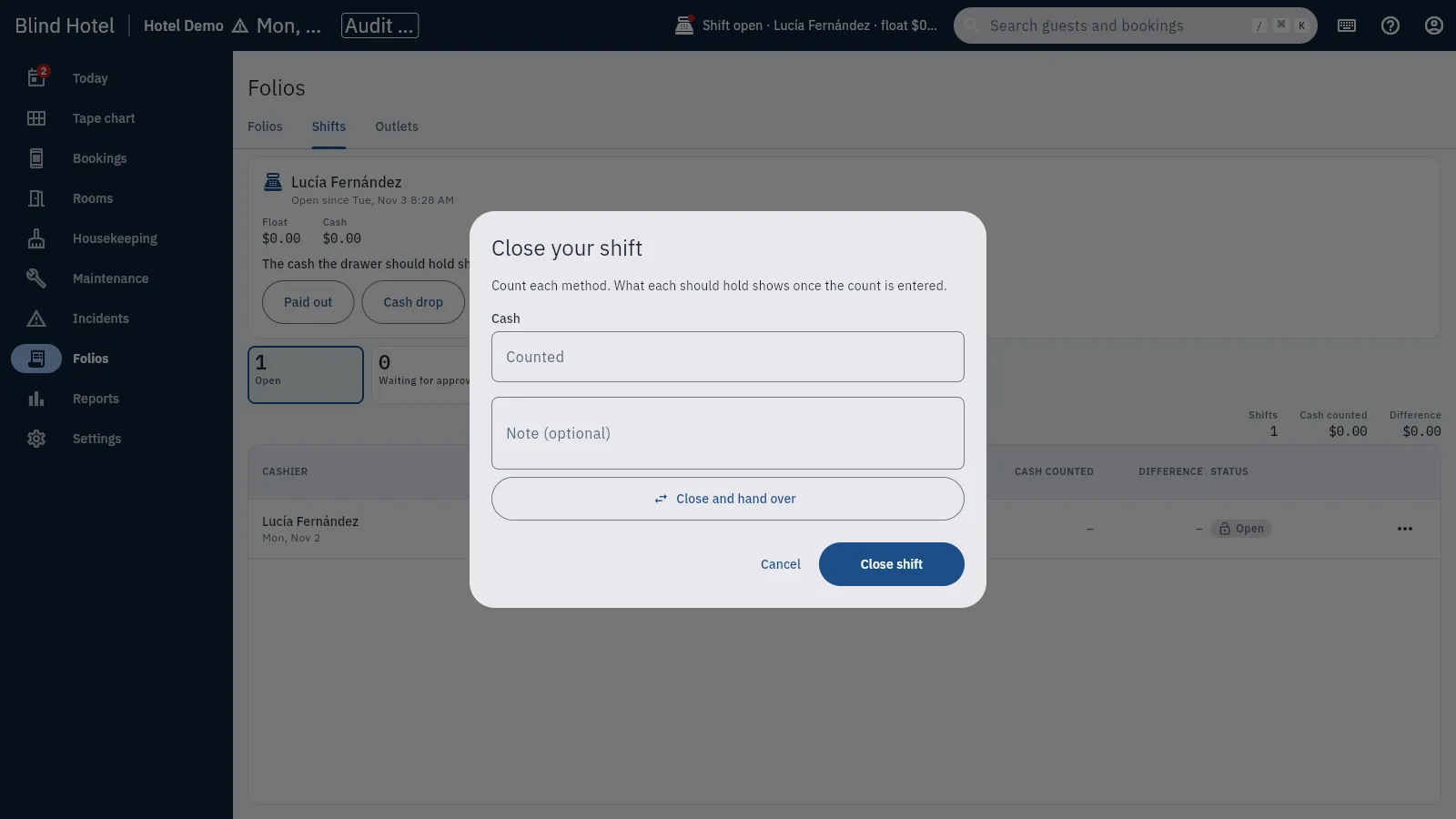
When you finish, tap the cash register icon and choose Close shift.
-
Count each method: the drawer, the card terminal’s batch, each wallet’s statement. Type what you counted.
-
Read the result under the counts. If it says you are over the tolerance, write why in Why is it off?.
-
Tap Close shift. To pass the drawer to the next person, tap Close and hand over instead.
Check your work
Section titled “Check your work”Open Folios, then Shifts, then the view Closed today. Your shift is there with its status: Closed, or Waiting for approval if the difference was over the tolerance. Open it and read Totals by method. To print it, choose Print shift report.
What next
Section titled “What next”- A shift Waiting for approval needs an Owner, a Manager, a Night auditor or an Accountant to open it and choose Approve. See The Shifts screen.
- If someone forgot to close their shift, an Owner, a Manager, a Night auditor or an Accountant can choose Force close, with two-step verification.
- At the end of the day, open shifts show in the night audit. See The night audit.
- To take a payment on the shift, see Take a payment.
Considerations
Section titled “Considerations”- A closed shift is never edited. A mistake is fixed with a new movement on the shift that is open.
- The Owner or a Manager sets the float, the tolerance, the blind count and the drawer mode in Settings, under Front desk, on the page Cashier.
- If a payment on your shift was not confirmed, the close waits. The window says Resolve 1 unconfirmed payment first. Tap Open it and check it.
- A tip is kept apart from the revenue. A paid out lowers the cash the drawer should hold.